
Take a photo of the homework. Your child practices exactly that.

Planner, spelling list, math facts or a lesson: Kamelo turns it into ten minutes of practice with a small chameleon who changes color. You check everything before you hand over the phone. Kindergarten through 5th grade.
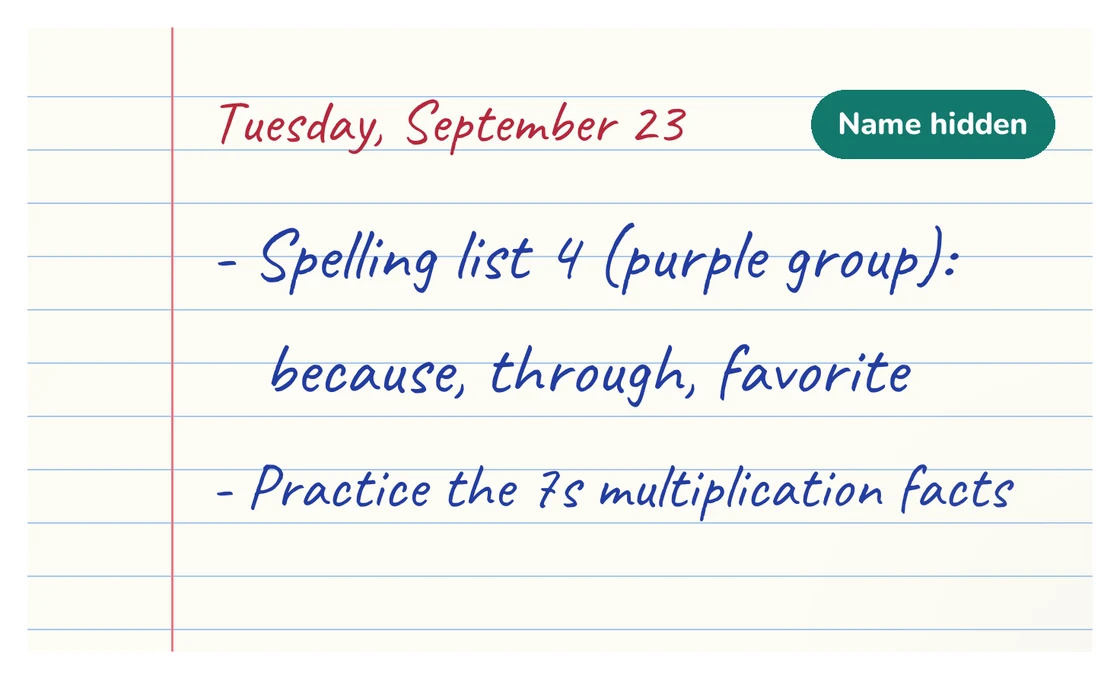
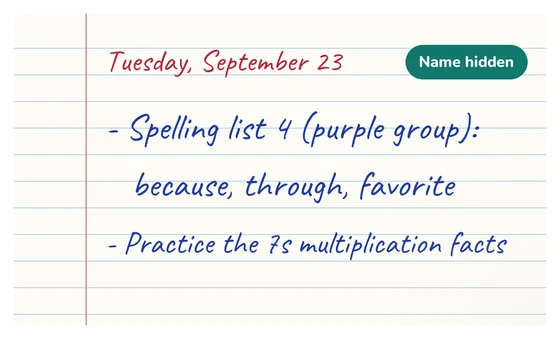
Photo of a handwritten planner page for Tuesday, September 23: “Spelling list 4 (purple group): because, through, favorite” and “Practice the 7s multiplication facts.” At the top right, a “Name hidden” label covers the child’s name.
the name is hidden on your phone, before anything is sent

An email on launch day

Kamelo isn’t in the app stores yet. Leave your email and we’ll let you know the day it’s available on the App Store or Google Play.

Your phone

Just that one email, then your address is deleted. No newsletter, no account to set up. Planned for the US in January 2027. France comes first, from October 2026.

Three things Kamelo doesn’t do

  • He never does the homework for your child.

    He reads spelling words aloud and asks math facts; your child does the thinking. The right answer only shows once your child has tried, so they can correct themselves.

  • He doesn’t chat with your child.

    Everything he says is written in advance. Your child never types anything to an AI.

  • He shows nothing you haven’t checked.

    The AI reads the photo for you, and you confirm the exercise before it reaches your child. Lesson questions written by the AI are labeled as such.

Thomas parent of a 3rd grader, creator of Kamelo
How it works

Five steps, about ten minutes in all. You stay in charge: your child only sees what you’ve approved.

  1. Take a photo

    The planner, a sheet from the homework folder, the spelling list or a screenshot from the school app, handwritten or printed. Your phone crops the photo and hides your child’s name before it’s sent.

    The planner photo, with the name hidden.
  2. Kamelo gets it ready

    In about thirty seconds, he reads the page, figures out what kind of homework it is (spelling, math facts, a poem, a lesson…) and turns it into practice on exactly those words.

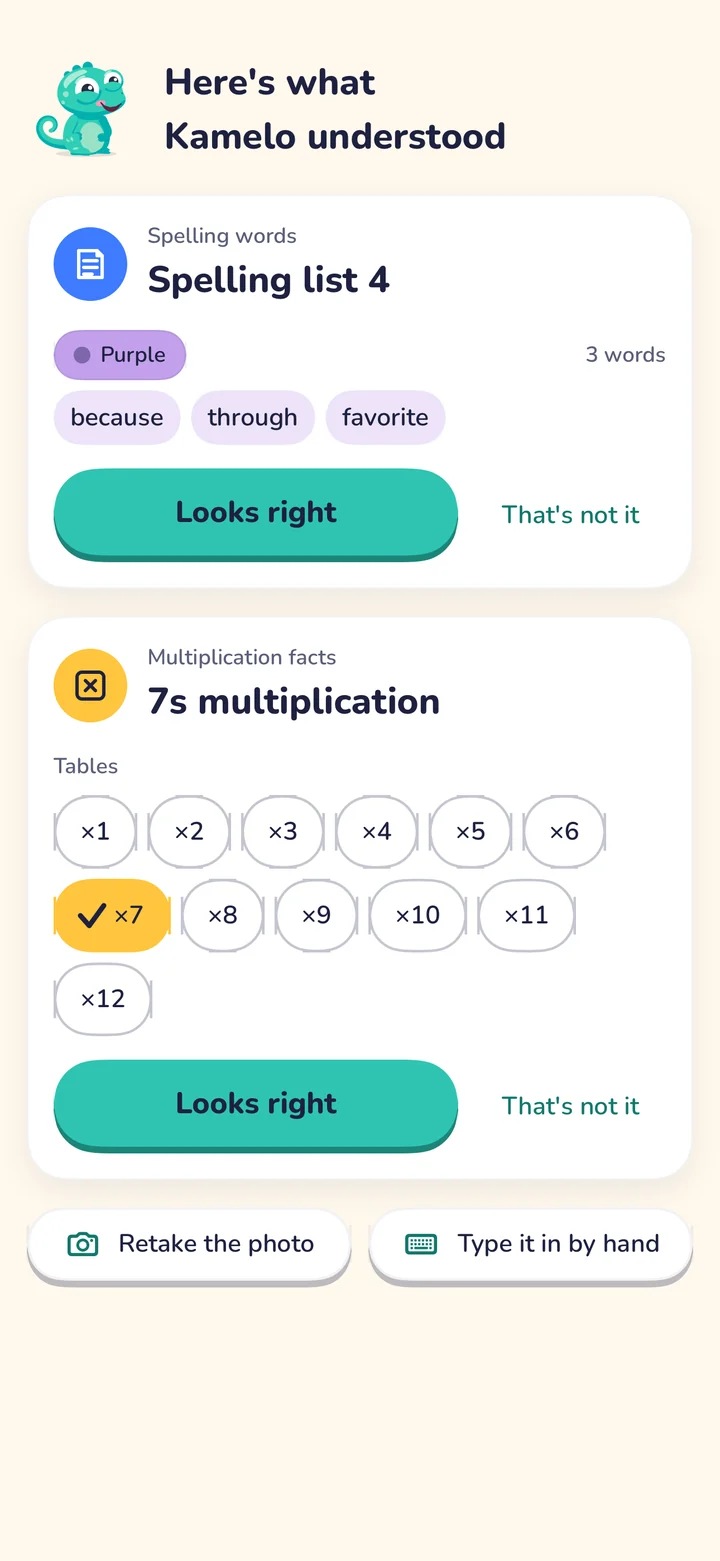
    The “Here’s what Kamelo understood” screen: spelling words, Spelling list 4, purple group, 3 words: because, through, favorite.
  3. You check it

    Kamelo shows you what he read in the photo: the words, the math facts, the questions. A word misread? Tap it to fix it, then approve. Nothing reaches your child until you’ve approved it.

    Under each assignment Kamelo found, a “Looks right” button and a “That’s not it” link; for the 7s multiplication facts, the tables from ×1 to ×12, with ×7 checked, to change with a tap.
  4. Your child practices

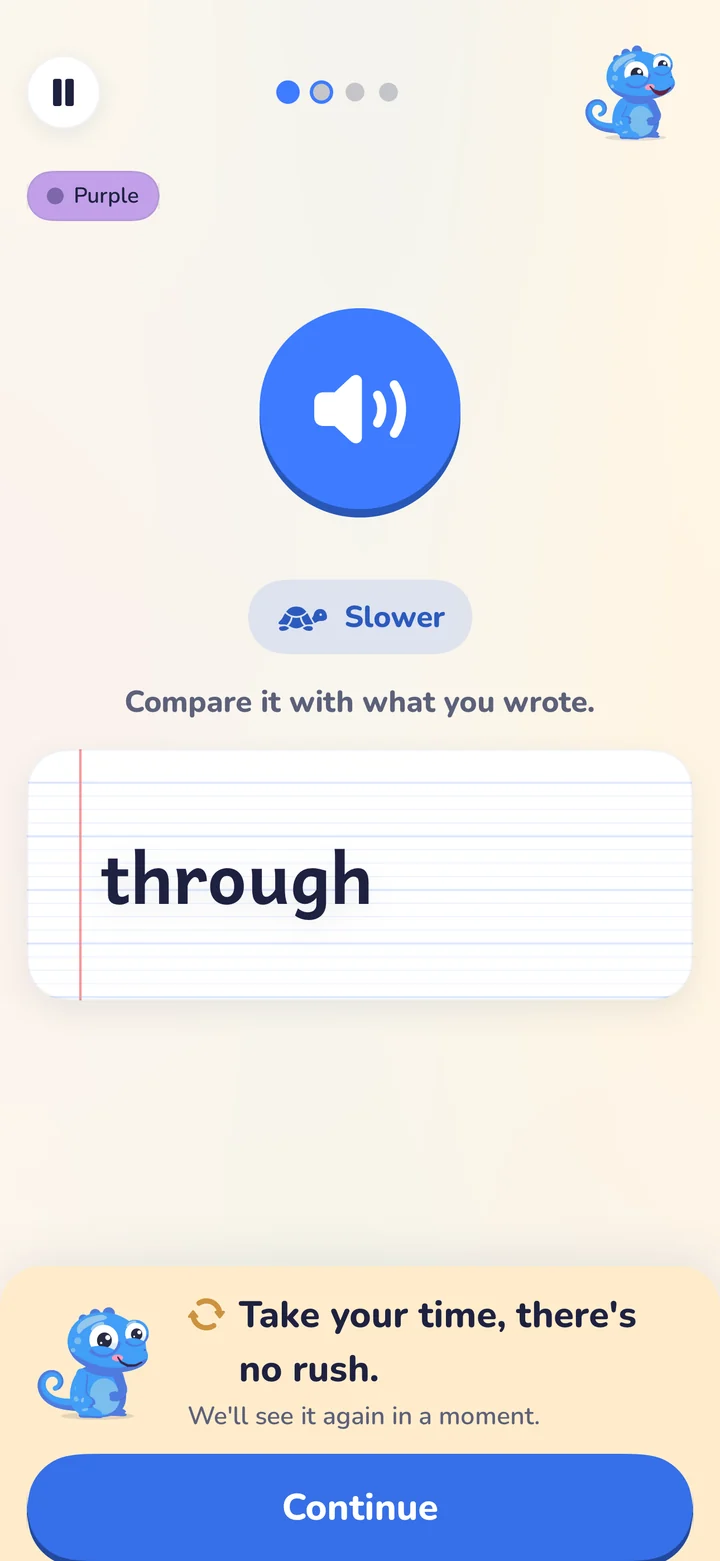
    Kamelo says each word, your child writes it on paper, then checks it themselves. About ten minutes, no timer and no red: a mistake is an “almost,” and the word comes back a little later.

    A spelling screen: the big button to hear the word again, “Slower,” then “Compare it with what you wrote” and the word “through” on a notebook line.
  5. Kamelo celebrates

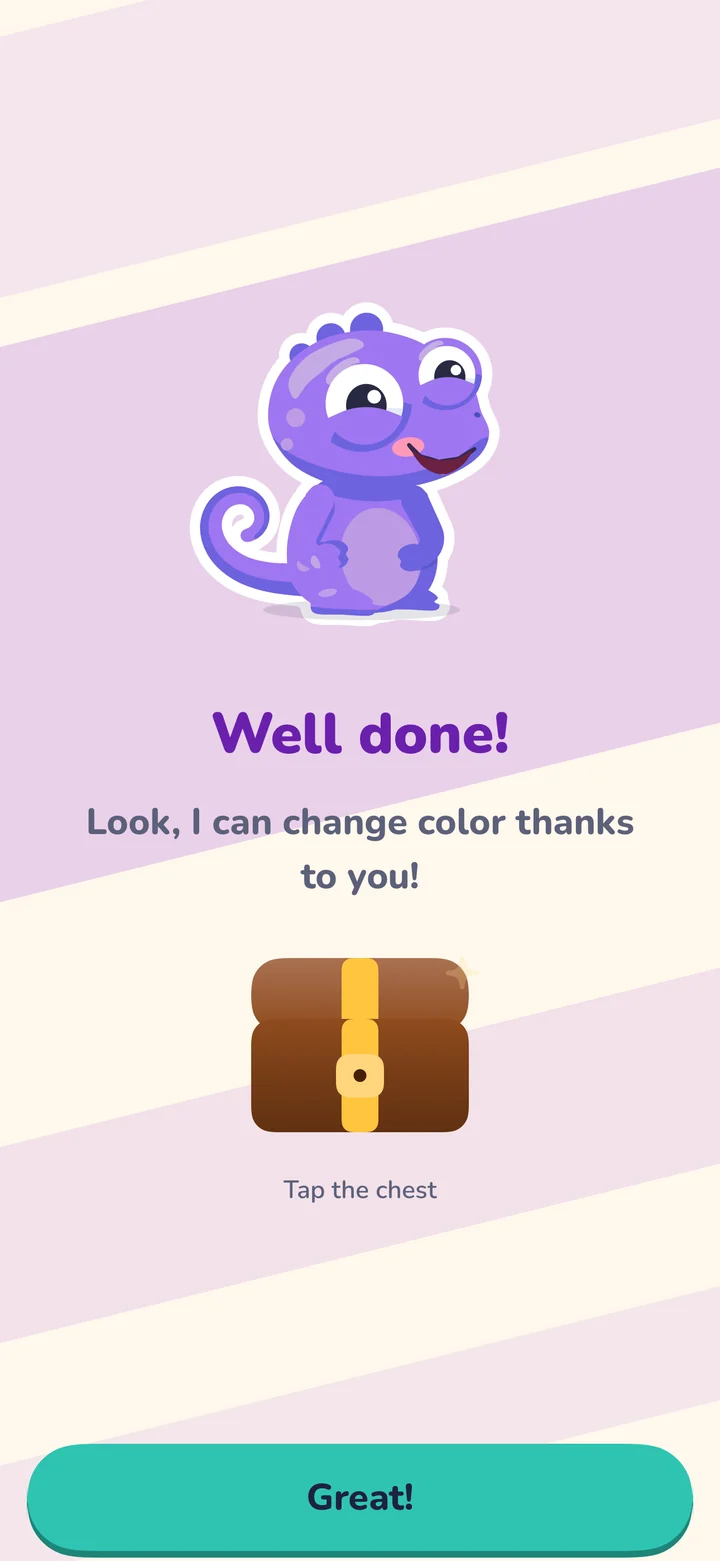
    Once today’s homework is done, Kamelo celebrates with your child. For you, the parent space shows what’s solid and what will come back, in plain words: “19 of 20 first time.”

    The end of the session: Kamelo, now purple, says “Well done! Look! Thanks to you, I can change colors!”

Every step in detail

Try Tuesday’s spelling list

In the photo: “Spelling list 4 (purple group): because, through, favorite.” Here’s what your child does with it in Kamelo, in paper mode: listen, write the word on paper, then check it themselves.

  • Paper first. Your child writes for real, on paper or a whiteboard. There’s a keyboard mode too, if you’d rather.
  • Never “wrong.” A mistake is an “almost,” and the word comes back a little later.
  • At their own pace. The word can be replayed as often as needed, and the “Slower” button says it again, slowly.
Purple

Write the word in your notebook or on your whiteboard

What Kamelo can read in the planner

The homework that comes home in elementary school, recognized from the photo, handwritten or printed. Each line becomes its own exercise.

Homework Kamelo can’t practice yet, like “Worksheet p. 34” or “Read 20 minutes,” becomes a checklist item. You can also send it to us from the app: that’s how Kamelo learns new exercises.

And what’s in it for your child?

Here’s Kamelo, just as he is in the app: he breathes, blinks, follows your cursor and giggles when you tap him. Pick a subject.

  • He takes on the color of the subject.
  • A mistake? That’s an “almost,” never red.
  • Colors to earn, stickers to collect. Nothing to buy.
  • After 8:30 pm, he falls asleep. Homework’s over for the night.

When today’s homework is done, Kamelo celebrates with a somersault.

Privacy, from the very first photo

Kamelo is made for children, so it collects as little as it can and says so plainly.

The corner of the planner page: a “Name hidden” label covers the child’s name.
hidden here, on your phone
The name hidden before upload
The app crops the photo, strips its metadata and hides the name and class at the top of the page, right on your phone.
The photo deleted within 24 hours
It’s only used to read the homework. Only the exercise you approve is kept.
Your consent comes first
US families get a COPPA notice and are asked for parental consent in the app before any photo is analyzed. The reading is done by Claude, Anthropic’s AI. Without consent, typing lists in by hand always works.
No ads, no trackers for your child
No analytics in the child space, nothing to buy, and no link out of the app without your parent code. Data is hosted in Paris, in the European Union.

P.S. What does it cost?

Free

$0

  • 3 photo scans in your first 14 days, then 1 a month
  • Unlimited typing-in by hand
  • Unlimited replays of exercises already created
  • One child profile

Kamelo Premium

$59.99 a year

or $9.99 a month

  • Unlimited photo scans (fair use)
  • Up to 3 children, one subscription
  • The detailed summary: results by exercise, words to review
  • 7-day free trial on the annual plan

No ads, and your data is never sold. Cancel anytime in your phone’s settings.

Full pricing details

A note from Thomas

I’m the parent of a 3rd grader in France, and an independent developer. Kamelo started at home, as a little spelling game for the color-coded word lists my child’s class brings home.

I turned it into an app for one simple reason: I wanted homework nights to be short and focused on what the teacher actually assigned, with no ads, and with no app doing the work in the child’s place.

I build Kamelo on my own, in France. If something isn’t right, write to me. I read every message and answer it myself.

Thomas Sobstylparent and creator of Kamelo

The story of Kamelo

Questions parents ask us

Does Kamelo do my child’s homework?

No. Kamelo never does the work for your child and never hands over ready-made answers. It turns the homework into practice (spelling words read aloud, math facts, a poem line by line, questions about the lesson), and the right answer only appears after your child has tried.

Does my child talk to an AI?

No. The AI only reads the photo, on the parent’s side. Kamelo, the character, only says lines written in advance, and your child never types anything to an AI.

What if the photo is misread?

You always see what Kamelo understood before you approve it. Tap a word to fix it. If the handwriting won’t cooperate, type the list in yourself; it only takes a minute.

How much screen time is it?

About ten minutes a night, on homework your child has to do anyway. No ads, no endless feed, and spelling practice happens on paper. After 8:30 pm, Kamelo goes to sleep.

Which grades is it for?

Kindergarten through 5th grade in the US: spelling lists, sight words, math facts, poems and lesson review, always on what your child’s teacher sent home. There’s also a UK version (Year 1 to Year 6) and a French one.

When can I get it in the US?

Kamelo is planned for the US in January 2027, on iPhone, iPad and Android. France comes first, with iPhone and iPad planned for October 17, 2026. Leave your email on the reply slip and you’ll get one email, on launch day.

Tonight’s homework, without the fight.

Kamelo is planned for the US in January 2027, on iPhone, iPad and Android. One email to let you know on the day, then your address is deleted.

An email on launch day

Kamelo isn’t in the app stores yet. Leave your email and we’ll let you know the day it’s available on the App Store or Google Play.

Your phone

Just that one email, then your address is deleted. No newsletter, no account to set up. Planned for the US in January 2027. France comes first, from October 2026.