

Times tables practice, on the table your teacher set
Practise the 7 times tableTimes tables test on Friday
Photograph the line in the homework diary, whether it says ‘7 times table’ or ‘×6 and ×8’. Kamelo turns it into about ten minutes on exactly those tables, with a big number pad and Kamelo for company. No leaderboard, and no timer unless you switch one on.
From the photo to the practice
-
You photograph the homework
The line in the homework diary, a worksheet or a screenshot from the school app.
-
You check the tables
About thirty seconds later Kamelo shows the tables he found. Add or remove any table from ×1 to ×12, then confirm.
-
Your child practises
Today’s homework is waiting on their screen: about ten minutes of facts from those tables, and nothing else.
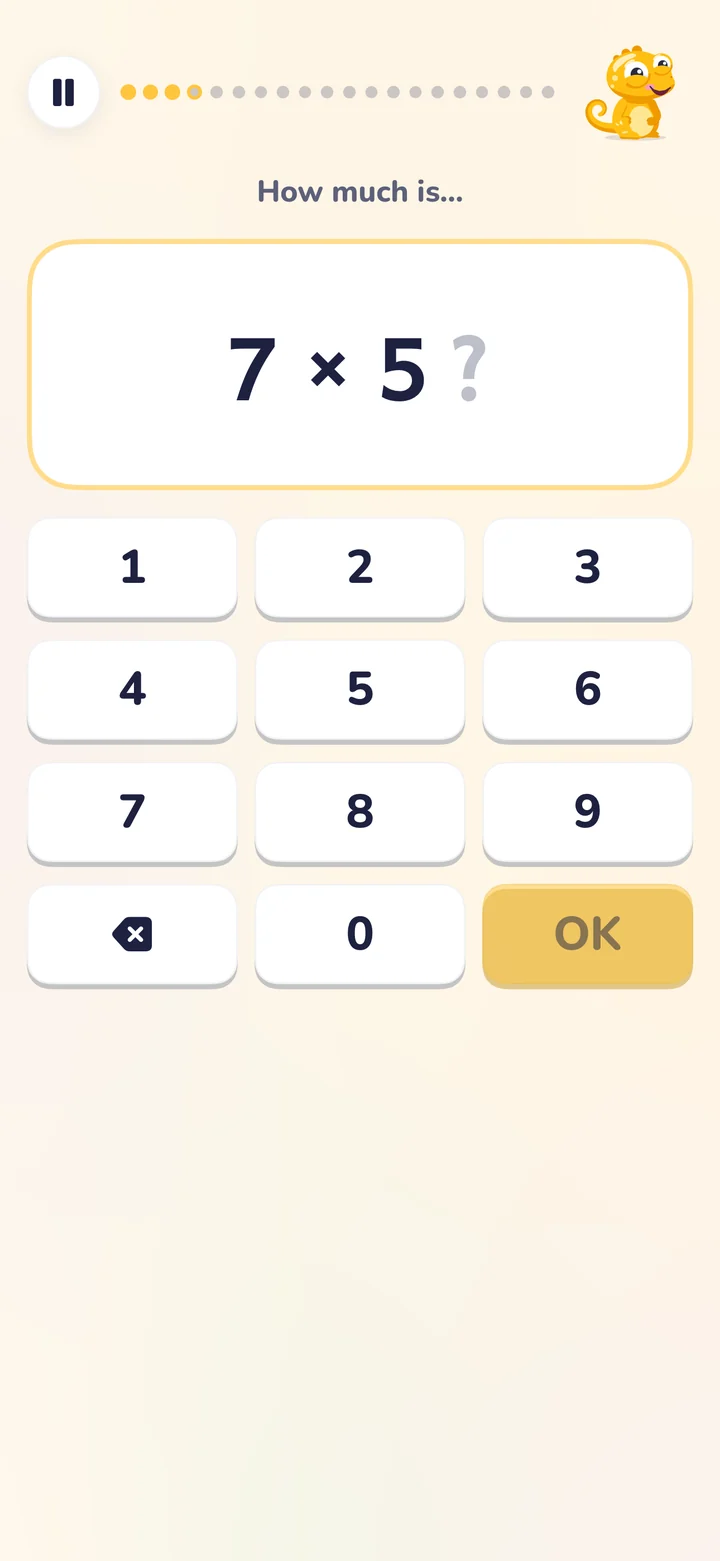
During the session
- One question at a time
- A big card shows 7 × 5 and your child answers on a large number pad. In touch mode, they pick from four big answers instead.
- Division too, when it’s set
- If the homework asks for division facts, they come from the same table: 35 ÷ 7 alongside 7 × 5.
- Missed facts come back
- When your child misses a fact, Kamelo shows the right answer, and the fact returns a few questions later, at most twice. It’s an ‘almost’, never a red cross.
- No clock unless you want one
- There is no timer by default. For Year 4, a parent can switch on a practice mode in the format of the multiplication tables check.
Helping your child learn their times tables
-
Follow the school’s order
The national curriculum starts with the 2, 5 and 10 times tables in Year 2, then the 3, 4 and 8 in Year 3, and every table up to 12 × 12 in Year 4.
-
Use the facts they already know
7 × 6 is the same as 6 × 7, and doubling the 4 times table gives the 8 times table. There are fewer new facts than it looks.
-
Short and often
Five minutes most days works better than one long session. A few facts on the way to school count too.
-
Speed comes last
Understanding first, then recall, then speed. Timed games suit some children and upset others: you know which yours is.
Questions parents ask
Which times tables should my child know in each year?
How do I help my child learn their times tables?
Is there a timer?
How is Kamelo different from other times tables apps?
What is the multiplication tables check?
Official sources
- National curriculum in England: mathematics programmes of study (Department for Education)
- Multiplication tables check: information for parents (Standards and Testing Agency)
Tonight’s homework, without the fight.
Planned for the UK in January 2027. France comes first, from October 2026.